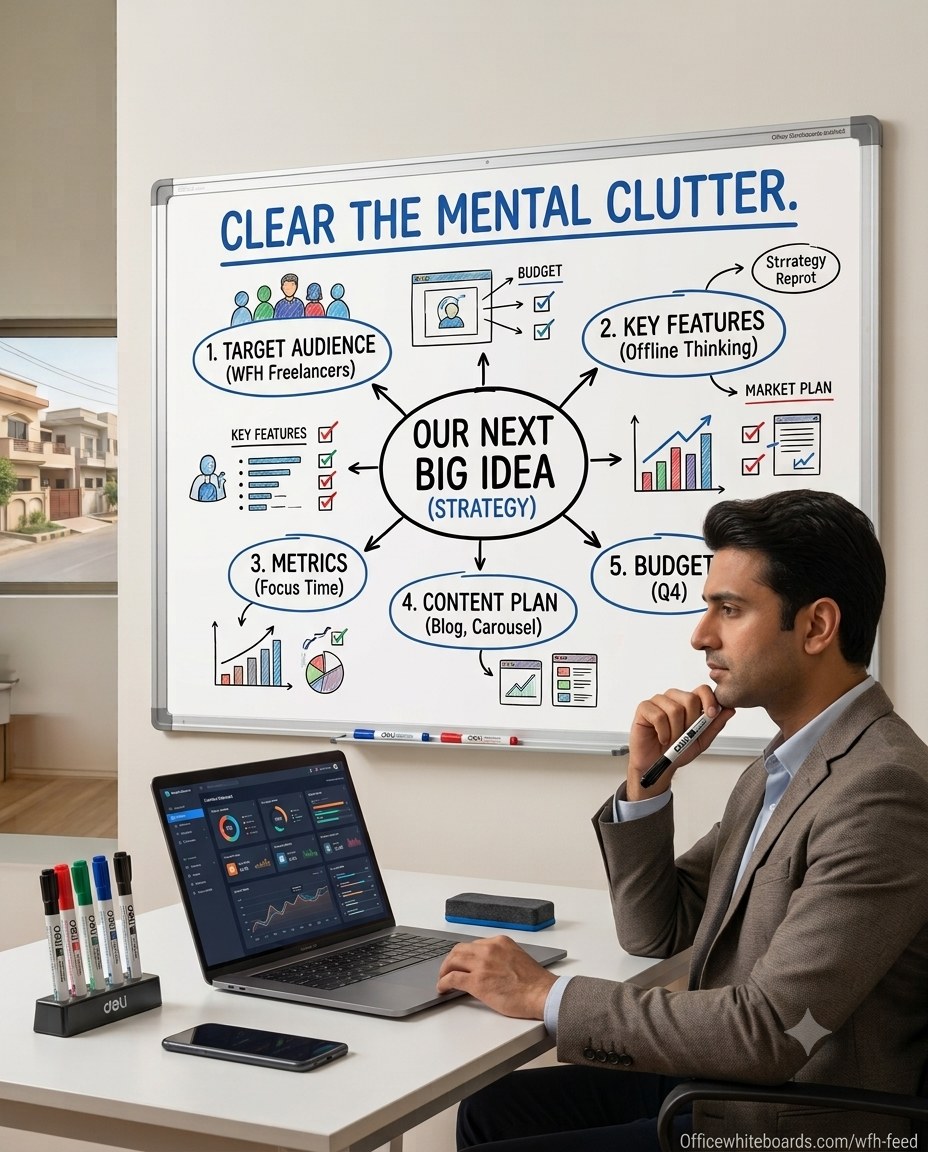
Is Your Home Office Holding Your Thinking Back?
Pakistan is one of the top 4 countries globally for freelancers on platforms like Upwork, Fiverr and Freelancer.com. Hundreds of thousands of professionals across Karachi, Lahore and Islamabad are now working remotely — from software developers and digital marketers to content creators, consultants and startup founders.
But there is a problem that most WFH professionals quietly deal with every single day: all their thinking is trapped inside a screen.
Spreadsheets. Tabs. Notion docs. Slack threads. Trello boards. Google Docs.
Everything is digital. Everything competes for your attention. And when you need to think deeply — to map out a strategy, solve a complex problem or plan a campaign — the screen becomes a prison, not a canvas.
A whiteboard changes that completely.
---
The Mental Clutter Problem in Remote Work
When you work from home, the boundaries between thinking and doing blur constantly. You start researching, then you are on YouTube, then you are answering messages, then you have forgotten what you were originally trying to figure out.
This is not a discipline problem. It is a workspace design problem.
Research from Princeton University found that physical visual cues — things you can see in front of you — dramatically improve working memory and sustained attention. A whiteboard on your wall creates a dedicated thinking surface that your brain treats differently from a screen. It is analog. It is spatial. It is yours.
---
5 Ways WFH Professionals in Pakistan Use Whiteboards
1. Mind Mapping and Strategy Planning
When you need to plan a product launch, a client campaign or a business strategy, a whiteboard gives you the physical space to think outward — not just downward in a linear document.
Draw your idea in the centre. Branch out. Connect concepts. Erase. Rethink. This kind of non-linear visual thinking is impossible on a laptop screen and is precisely how the best strategies are built.
Ideal size for strategy work: 3×4 ft or 4×6 ft — from Rs 7,040
2. Weekly Goal and Task Tracking
Replace your to-do app with a section of your whiteboard. Write your top 3 priorities for the week. Tick them off physically as you complete them.
The physical act of writing goals and erasing completed tasks gives you a sense of progress that no app notification can replicate. Many freelancers report this single change dramatically increases their weekly output.
Ideal size for task tracking: 2×3 ft — visible from your desk without getting up — from Rs 3,960
3. Client Presentation and Video Calls
If you do client calls or consultancy sessions on Zoom or Google Meet, a whiteboard behind you or next to your camera immediately signals professionalism.
More than that — you can write key points, diagrams or proposals in real time during the call. Clients respond very differently to someone who can visually map their solution versus someone reading from a shared screen.
Ideal for video calls: Magnetic whiteboard 3×4 ft — clean, professional background
4. Content Planning and Social Media Strategy
Content creators, social media managers and digital marketers benefit enormously from a physical content calendar on a whiteboard. Map out a month of content at a glance — platforms, topics, posting dates, captions due.
When everything is visible on one surface, gaps become obvious and planning becomes faster. No more switching between tabs trying to remember what you planned last Tuesday.
5. Separating Work Mode from Home Mode
One of the biggest challenges of working from home is mentally switching between work and personal life. Having a dedicated whiteboard in your workspace — even in a corner of your bedroom — creates a visual anchor that tells your brain: this is work space.
When you face it, you are working. When you turn away, you are done. This simple spatial cue is one of the most effective ways to maintain work-life balance at home.
---
What Makes a Good WFH Whiteboard?
| Feature | Why it matters for WFH |
|---|---|
| Smooth magnetic surface | Pin client briefs, invoices, printed references |
| Aluminium frame | Professional look on video calls |
| Ghost-free writing | Ideas are always clear, never cluttered |
| Wall-mounted | Saves desk space in small home offices |
| 3×4 ft or larger | Enough space for mind maps and weekly plans |
---
WFH Whiteboard Range at OfficeWhiteboards.com
| Size | Best use | Price |
|---|---|---|
| 2×3 ft | Small desk area, task list | Rs 3,960 |
| 3×4 ft | Strategy and planning | Rs 7,040 |
| 4×6 ft | Full content calendar | Rs 12,760 |
| Magnetic 3×4 ft | Pin documents + write | Rs 9,240 |
| Deli Brand 3×4 ft | Premium imported quality | Rs 13,250 |
All boards come with aluminium frame, smooth dry erase surface and 1 year warranty.
---
Setting Up Your WFH Whiteboard — Quick Guide
Step 1: Choose your wall
Ideally behind or beside your desk — visible during calls and when seated. Natural light from the side is best (avoid direct light reflecting off the surface).
Step 2: Mount at eye level
When standing, the top of the board should be at eye level. When sitting, the centre of the board should be at eye level.
Step 3: Set up zones
Divide the board into permanent zones — for example:
Step 4: Get quality markers
A cheap marker on a quality board is better than a quality marker on a cheap board. Use dry erase markers with eraser caps. Replace when ink fades — streaky markers create mental noise, not clarity.
---
Special Offer for Home Office Orders
OfficeWhiteboards.com currently offers:
---
Order Your WFH Whiteboard Today
Browse the full home office range:
WhatsApp for quick order:
Same day order confirmation. Delivery across Pakistan.
---
Final Thought
The most successful remote workers are not the ones with the fastest internet or the most expensive laptop. They are the ones who design their thinking environment intentionally.
A whiteboard is one of the highest-ROI investments you can make in your home office — not because it is fancy, but because it gives your best thinking a place to happen.